Multi Cam Videos with Just iPhones + an iPad
What if you could shoot professional Multi Cam Videos using only iPhones — and control everything from a single iPad? No cables. No bulky broadcast gear. Just the free Blackmagic Camera App.
What You’ll Need to set up Multi Cam Videos
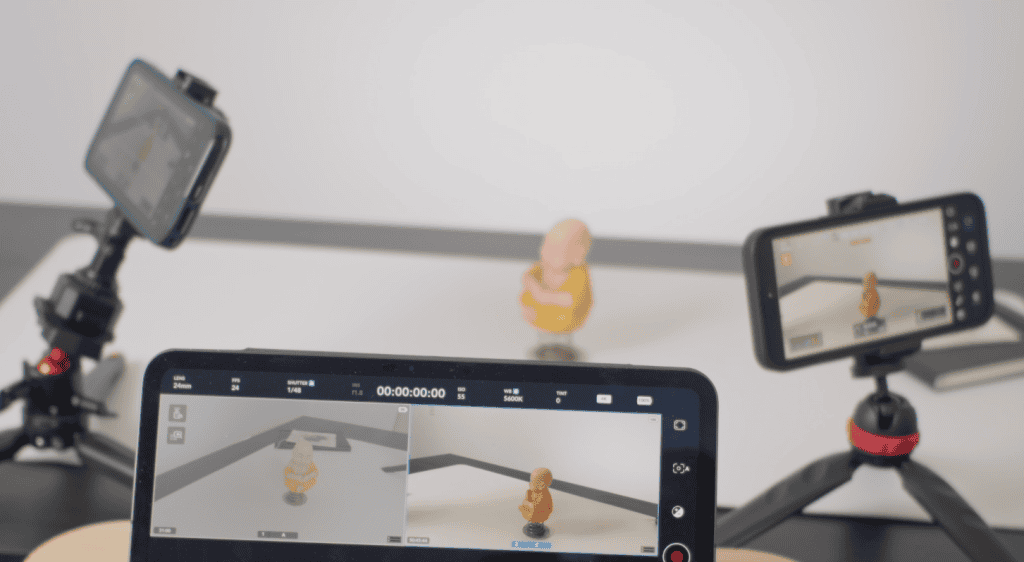
- 1 iPad → Controller + Monitoring station
- 2 iPhones (or more) → Remote cameras
- All devices running the Blackmagic Camera App
- All devices connected to the same Wi-Fi network
Best performance: Use a local Wi-Fi router instead of relying on home network congestion.
Configure the iPad (Camera Controller)
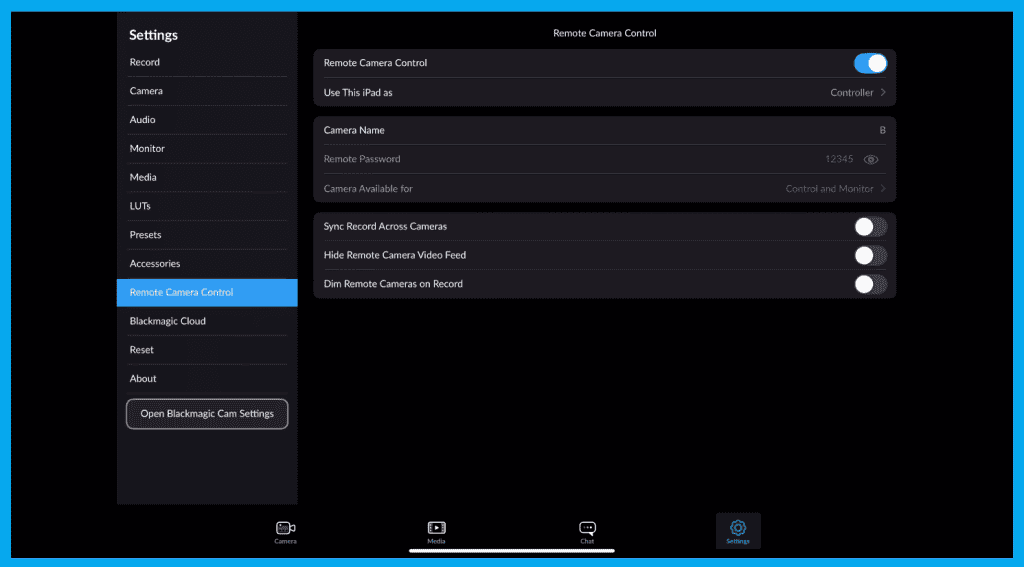
On the iPad:
1️⃣ Open Settings → Remote Camera Control
2️⃣ Turn it ON
3️⃣ Give the iPad a clear controller name (ex. “Controller Pad”)
4️⃣ Set a password (ex. 12345 — must match all devices)
5️⃣ Choose Control & Monitoring
This makes your iPad the director’s panel.
Configure the iPhones (Remote Cameras)
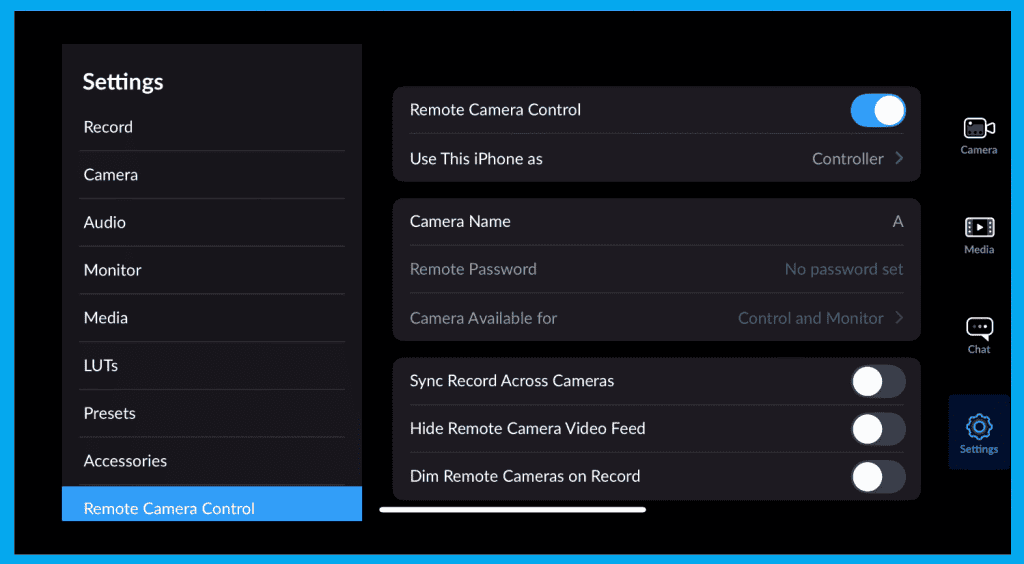
Repeat on each iPhone:
1️⃣ Remote Camera Control → ON
2️⃣ Set as Remote Camera
3️⃣ Name each (ex. Camera A, Camera B)
4️⃣ Enter the same password as the iPad
5️⃣ Allow remote control & monitoring
Now your cameras are ready to be controlled wirelessly.
Link the Devices
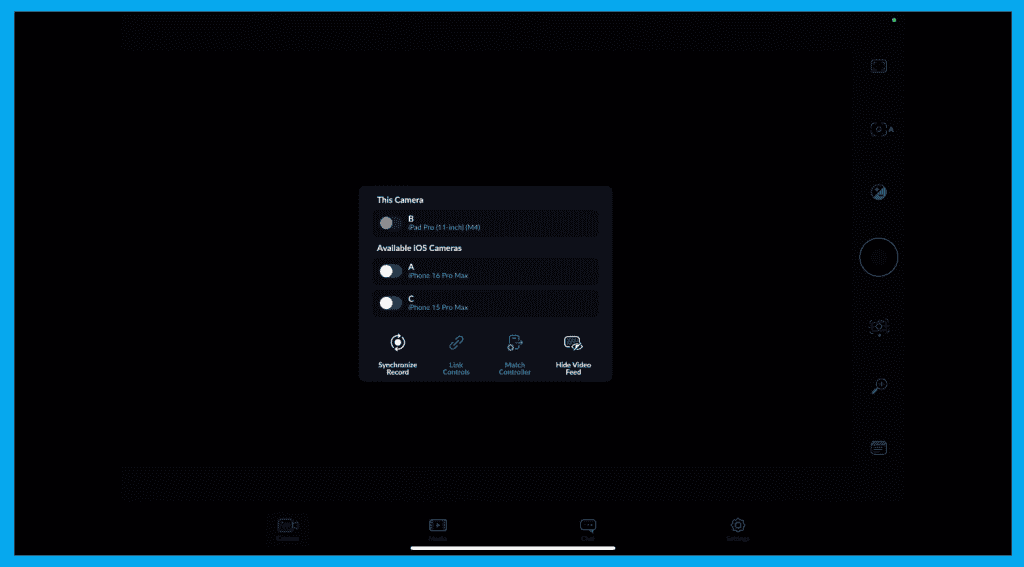
Back on the iPad:
- Tap the Remote Icon (top-left)
- Both iPhones appear in a list
- Enable both cameras
You can now enable:
| Option | What It Does |
|---|---|
| Sync Recording | All cameras start/stop together |
| Link Controls | Auto-match exposure + white balance |
| Copy Settings | Send iPad camera settings to iPhones |
Multi-Cam Monitoring Layout
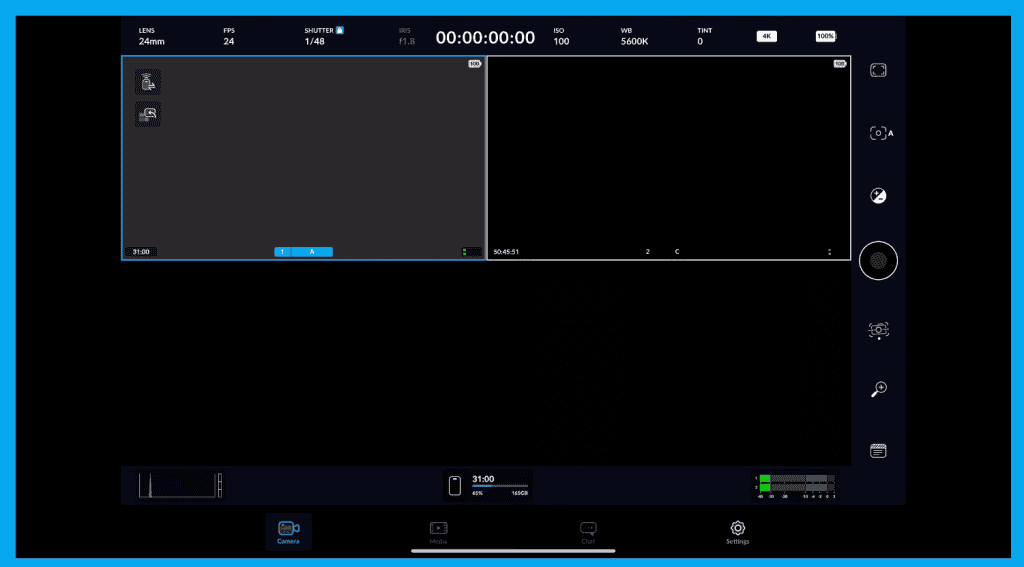
View options on the iPad:
- Split View → See both cameras side-by-side
- Single View → Tap to enlarge one camera feed
Pro Tips for Smooth Multi-Cam Shoots
- Use a dedicated Wi-Fi router to reduce latency
- Disable live previews during long takes to prevent overheating
- Power the iPhones with battery banks for extended sessions
Final Thoughts
You now have a full wireless multi-camera rig to shoot Multi Cam Videos powered entirely by: iPhones, iPads and the free Blackmagic Camera App. No extra gear. No complicated setup. Just pro-level control made simple.