Make Your iPhone Look Cinematic – LUT Setup Guide
What if you could see your final color grade while you shoot? What if you could see your final color grade while you shoot? This guide walks you through a custom LUT setup guide, when to use built-in looks vs. .cube files, and how to decide whether a LUT should be baked into footage or saved as a preview-only look.
LUT Preview Switch — See the Look in Real Time
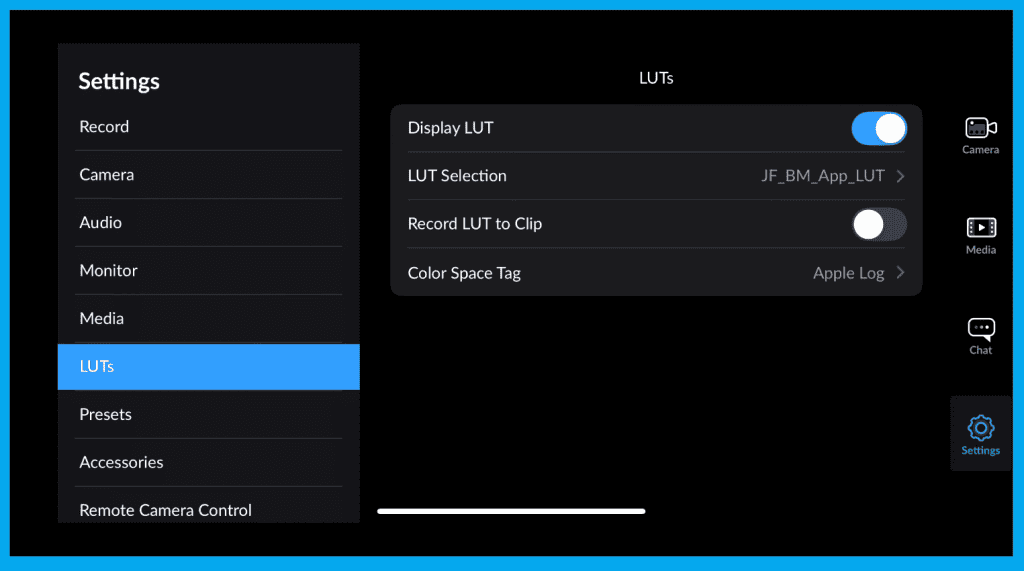
Flip the LUT preview toggle on to view your footage with color, contrast, and tone applied. Toggle off to see the flat log image.
Important: Previewing LUTs does not affect your recorded video unless you explicitly choose to bake it in.
How to Know if Your LUT is Baked In

In the top-left corner, beneath the lens selector, you’ll see a label showing LUT.
- White LUT label = Preview only ✔️
- Red LUT label = Baked-in LUT ⚠️ Permanent
Once it’s baked into the recording… there’s no undo.
Built-In LUTs vs Custom LUTs
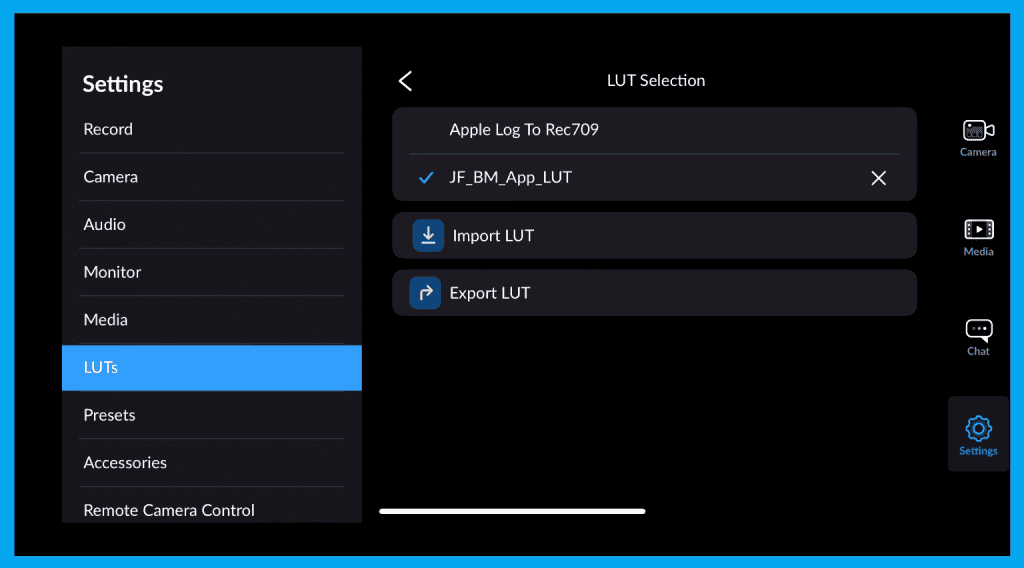
You have two categories:
| LUT Type | Best For | What It Provides |
|---|---|---|
| Built-In LUTs | Natural, safe Rec.709 workflow | Clean, accurate color |
| Custom LUTs (.cube) | Film looks, brand consistency, stylized previews | Creative control |
Custom LUTs unlock real-time branded looks — great for ensuring lighting matches the intended mood.
How to Import a Custom LUT (.cube)
1️⃣ Add your LUT file to iCloud (or Files app)
2️⃣ Open LUTs Panel in the app
3️⃣ Tap Import LUT
4️⃣ Select your .cube file
Record LUT to Clip — Preview or Permanent?
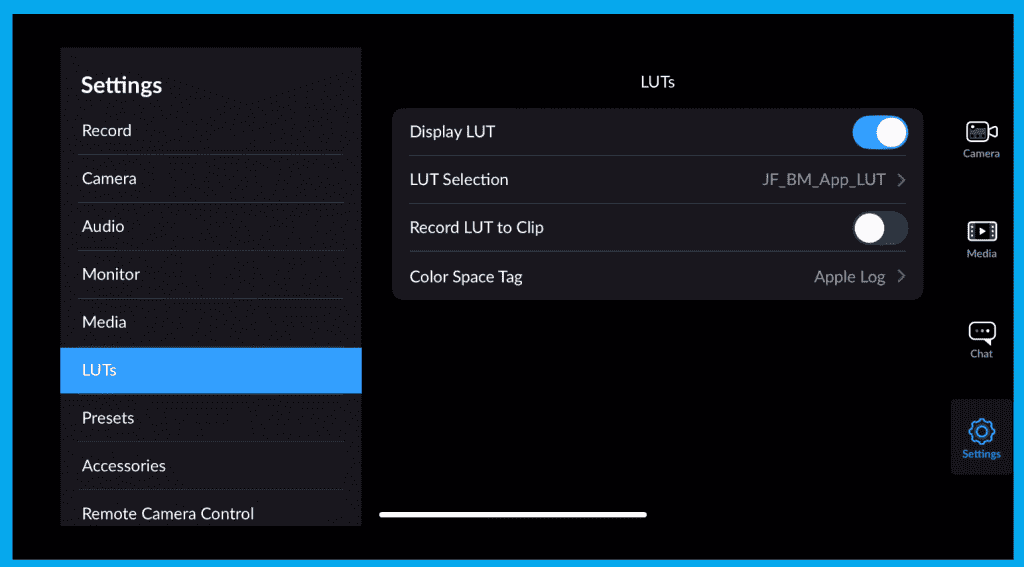
This determines whether the LUT is:
| Setting | Result |
|---|---|
| OFF (Default) | LUT is view-only; footage records flat |
| ON | LUT is baked permanently into video |
If you want full grading flexibility, leave this OFF.
If you want final delivery from camera, turn it ON — but beware: irreversible.
Color Space Tag — Critical for Post-Production Accuracy
Tells editing software how to interpret your footage’s color science.
Options include:
- Apple Log
- Rec.709
- Rec.2020
- P3 D65
Pro LUT Workflows (Quick Guide)
| Shooting Style | Color Space Tag | Bake LUT? | Why |
|---|---|---|---|
| Cinematic log workflows | Apple Log | NO | Full control in grading |
| Run-and-gun social content | Rec.709 | YES | Fast delivery, no grading required |
| Client preview monitor | Any | NO | On-set look only |
| Branded look enforcement | Apple Log | YES | Lock creative direction |
Final Thoughts
After following the LUT setup guide With LUT preview + proper tagging, you can light and expose creatively in real time — without sacrificing flexibility in post.
Next in the series: Clip Naming + Organization — The workflow that saves your sanity later.